
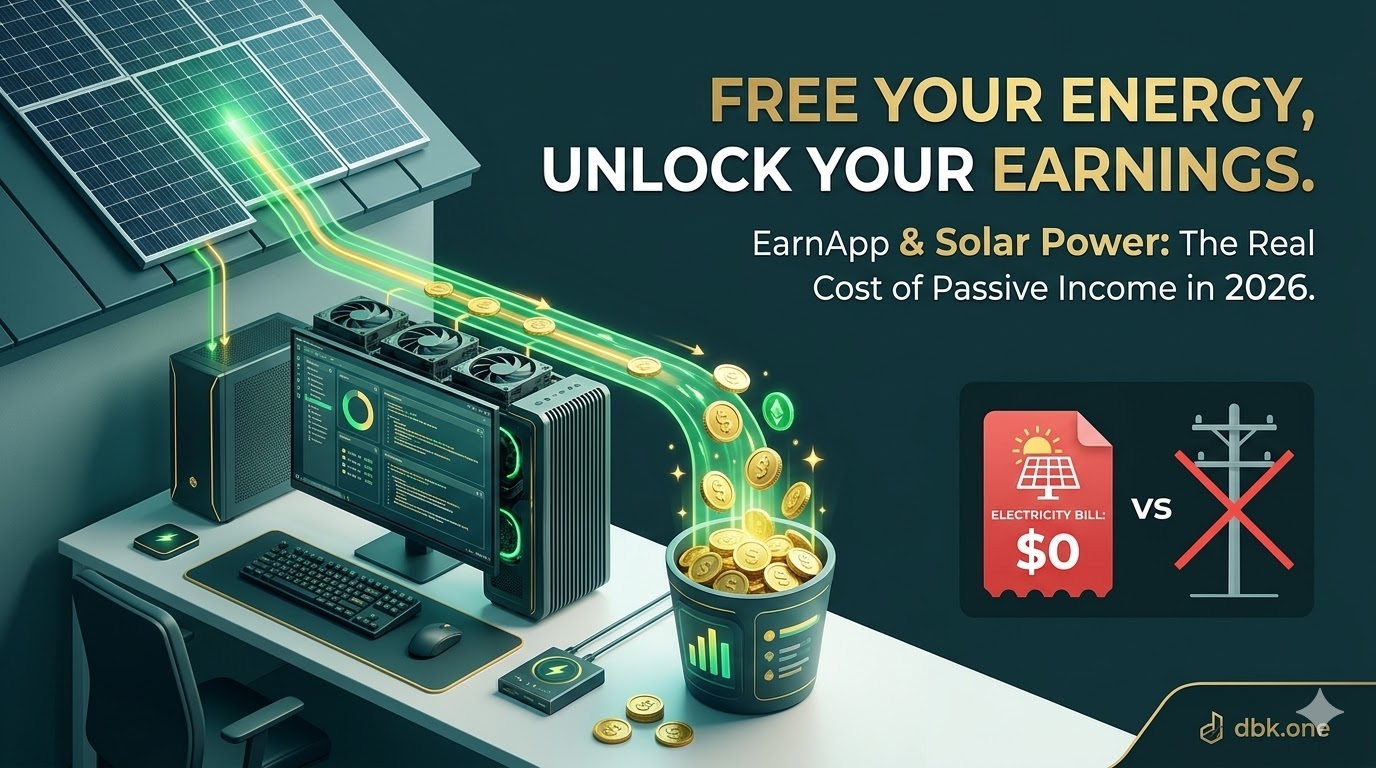
EarnApp acts as a secure platform that allows you to “rent out” your unused internet bandwidth to fully audited enterprise customers of its parent company, Bright Data.
Instead of needing powerful GPUs, you just need a device—like a PC, Laptop, Android phone, or VPS—and a stable internet connection. When you aren’t fully using your fiber line, EarnApp securely routes public web data from companies performing market research or ad verification through your node.
It works in the background, utilizing only your spare capacity, meaning you can continue your daily tasks without interruption.
🛠 How to Set Up EarnApp on Your PC/Laptop (Step-by-Step)
Setting up EarnApp is as simple as installing a music player. It takes less than 3 minutes.
Step 1: Create Your Account
First, click the official link below to create your account and claim your starting bonus.
- 👉 Join EarnApp & Get Your Bonus Here
- You can sign up easily using your Google account.
Step 2: Download & Install
Once logged in, look for the “Download” button on the dashboard.
- Choose the version for your device (Windows, Android, or Linux, iOS).
- Run the installer and follow the simple on-screen instructions.

Step 3: Link Your Device
After installation, a small icon will appear in your system tray (bottom right corner).
- Click on it and select “Link Device”.
- This will open a browser window to confirm that this PC is now connected to your EarnApp account.
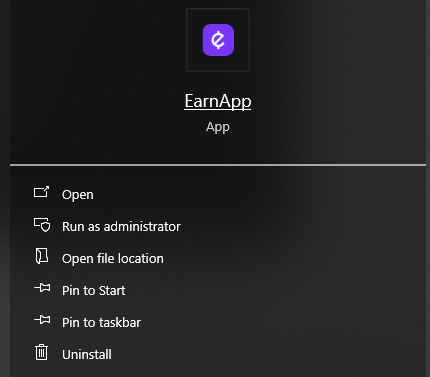
⚠️ Important Note for Windows Users
When installing EarnApp, Windows Defender (or other Antivirus software) might flag it as a “Potentially Unwanted Application” or a threat.
Don’t panic! This is a “False Positive.” Because EarnApp shares your internet bandwidth, security software sometimes misidentifies its activity as suspicious.
How to fix this:
- To ensure a smooth installation, you may need to temporarily disable Windows Defender or add EarnApp to the “Exclusions” list in your security settings.
- Rest assured, EarnApp is developed by Bright Data, a fully audited and reputable company. It is safe to use and does not access your private files
Step 4: Optimization (Optional but Recommended)
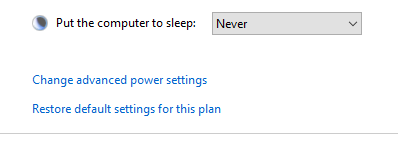
To make sure you earn the most while saving energy:
- For Solar Power Users: Keep your PC on during daylight hours to use 100% “free” energy.
- Power Settings: Set your Laptop to “Never Sleep” while plugged in, but you can turn off the screen to save power.
⚖️ EarnApp Breakdown: Pros, Cons, and Hardware
After months of testing, here is a professional breakdown of what to expect.
🚀 The Pros (Why I Use It)
- Zero Daily Effort: Install once and it runs in the background. No clicking, posting, or traffic creation required.
- Low Hardware Overhead: The software is ultra-lightweight. Your existing office PC or laptop is enough.
- Reputable Parent Company: Owned by Bright Data, ensuring a higher level of transparency and auditing compared to newer, smaller competitors.
- Proven Payouts: Fast withdrawals with clear instructions.
⚖️ The Cons (The Reality Check)
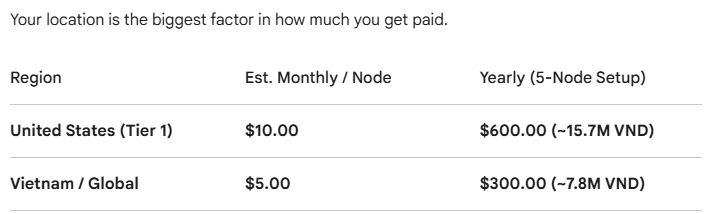
- Location Dependent: The “US/EU Premium” is real. Tier 1 regions earn more.
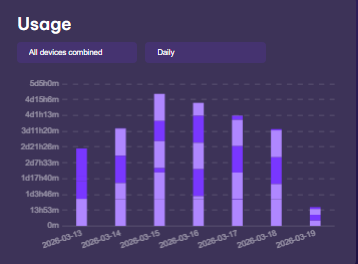
- Unstable Data Usage: Data consumption isn’t linear. You will have high-earning days and low-earning days.
- Power vs. Profit: Your primary cost is electricity. You must manage your power consumption.
🛠️ Hardware Requirements (What is Actually Needed)
While EarnApp can run on almost any hardware, its primary requirement is NOT a powerful CPU. You need stability:
- OS: Windows, Linux, Android, or Mac.
- CPU: Any (i3/Pentium or equivalent is overkill).
- RAM: 2GB minimum (4GB is recommended for smooth, uninterrupted background operation).
- The most crucial requirement: A stable Residential IP address and a reliable internet connection (fiber is ideal).
🚀 How to Multiply Your Earnings: VPN Referrals
The single biggest scaling opportunity on EarnApp isn’t adding more of your own devices to the same IP. It is leveraging the referral program. Here’s a strategic detail from my own dashboard:
Double-Dip with Bright VPN: I actively promote both. The dashboard shows a special offer: Earn an additional $30 bonus just by referring 10 US friends to Bright VPN. This is a powerful upsell for any referral partner.
Earn 10% Lifetime Commission: When you refer someone, you get 10% of their earnings forever.
The “US/EU Target”: If you refer 100 users in high-demand regions like the US, where average node income is $10/month, your commission alone is $1,200/year—without you needing to run a single extra device.
💸 Actual Cashout Process (A Transparent View)
Many reviews ignore this, but you want to know how you actually get paid. My dashboard confirms the official, recommended methods.
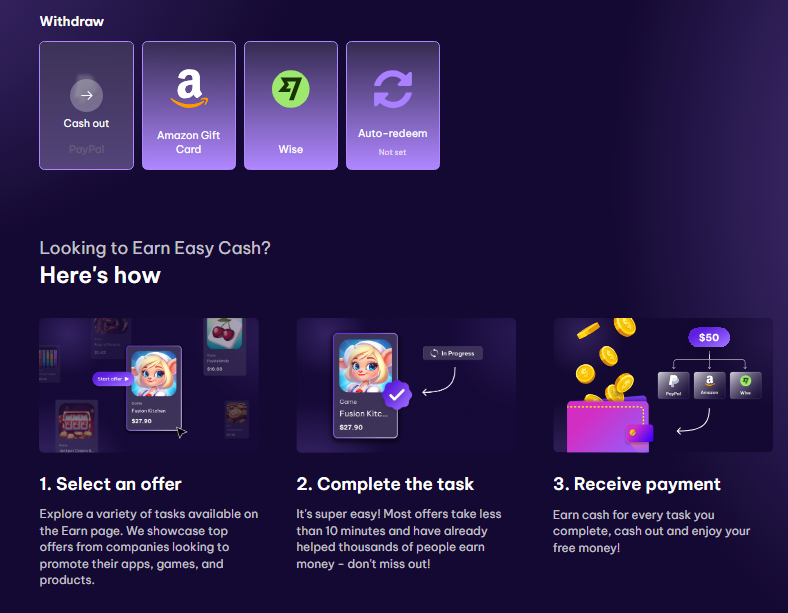
Clear instructions for payout:
- Explore Offers & Tasks: Complete short (10-minute) simple tasks like following social accounts or playing games (though I primarily focus on the bandwidth node).
- Complete the Task: Quick and easy.
- Receive Payment: Request a payout to PayPal, Wise, or an Amazon Gift Card for maximum flexibility. The minimum payout threshold is clearly visible for maximum convenience.
💡 Final Verdict: The IT Professional’s Assessment
If you are a student, gamer, or IT professional with idle hardware that is already running 24/7 (such as for other node projects like Teneo Protocol,Gradient,OptimAI,…), EarnApp is a smart optimization.
However, if you are a gamer running a 750W rig solely for this, or if you live in a region with extremely expensive electricity and no high demand for IP addresses, you must calculate your ROI carefully. The ideal setup is a specialized low-power PC or laptop combined with Solar power to neutralize electricity costs.
For me, on my dbk.one setup, EarnApp is a reliable, truly passive tool that pays for my monthly coffee and internet bill with zero extra daily effort.
Ready to monetize your idle PC and get a $2.50 bonus?
👉 Sign up for EarnApp here and get a $2.50 bonus on your first payout
Join the dbk.one Node Community
Running a multiple-node setup? Share your experiences and daily average earnings in the comments below!